Wrist SOS: Typing Relief for Hands That Work All Day
Quick Answer: Most typing-related wrist pain responds to three fixes: keep wrists neutral and level (retract those keyboard feet), take a 20-second micro-break every hour, and move the mouse with your whole arm instead of pivoting at the wrist. Add twice-weekly grip and finger-extension work for insurance. Numbness or night-time tingling is a clinician’s job, not a stretch’s.
Your hands type, scroll, click and text for most of your waking hours. Eventually their union rep — the wrists — starts filing complaints: an ache after long days, a tingle in the ring finger, the morning claw.
The good news is that the whispers respond well to boring fixes, and the boring fixes take about four minutes a day.
One caveat before anything else: numbness, night-time tingling that wakes you, or weakness in your grip deserves a clinician rather than a stretching routine. Those are nerve signals, and early assessment matters.

What is the correct wrist position for typing?
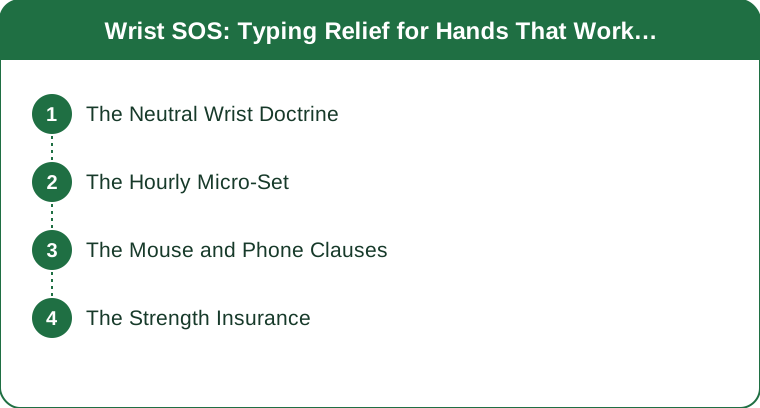
Neutral, level and close. That’s the entire geometry lesson, but each word is doing work.
Neutral means your wrist isn’t bent up or down. Draw an imaginary straight line from your forearm through the back of your hand — that’s the target. Bent-up wrists compress the tunnel your median nerve runs through, and you hold that position for hours.
Level means your keyboard is flat, or even slightly tilted away from you. Those little flip-out feet on the back of every keyboard? Retract them. They tilt the keyboard toward you, which forces your wrists into extension. They are ergonomic saboteurs sold as a feature.
Close means the mouse sits right beside the keyboard, not out at arm’s reach. A distant mouse forces your wrist to angle outward — that’s ulnar deviation, and it’s the most common cause of the outer-wrist ache.
Quick desk audit: elbows at roughly 90 degrees, forearms parallel to the floor, shoulders down, keyboard flat, mouse within a hand’s width. If your desk is too high to allow that, the fix is a lower keyboard tray or a raised chair with a footrest, not better willpower.
What’s the hourly micro-break routine?
Twenty seconds, every hour. It’s invisible in meetings and it’s the highest-value habit here.
- Fists to starfish, 5 times. Squeeze into a fist, then spread the fingers as wide as they’ll go.
- Wrist circles, 5 each direction. Slow, full range.
- Prayer stretch, 15 seconds. Palms together at chest height, lower your hands until you feel a gentle stretch in the forearms.
- Shoulder roll, 3 back. Wrist problems often start further up the chain.
Set a recurring timer. The routine is trivially easy and completely forgettable, which is why it fails without a prompt.

Does the mouse or the phone matter more?
Both, and they cause different problems.
Mouse. Move from the shoulder and elbow, not the wrist. If you’re pivoting your hand around a fixed wrist point, all the work is going through the smallest joint in the chain. A vertical mouse converts most people who try one — it puts the forearm in a handshake position instead of face-down rotation. A trackball removes the movement entirely for people with persistent symptoms.
Phone. The pinky-shelf grip (using your little finger as a ledge under the phone) plus marathon thumb-scrolling has its own well-documented pattern of complaints now. Alternate hands, use voice notes for longer messages, hold the phone with your palm rather than your fingertips, and — revolutionary suggestion — put it down occasionally.
Also worth checking: keyboard travel. Very shallow laptop keyboards make people bottom out hard on every keystroke. An external keyboard with a bit of travel meaningfully reduces impact force over thousands of presses.
What strength work protects your hands?
Twice a week, about five minutes. Hands that are strong in both directions complain less.
Grip work. Rice-bucket digs (bury your hand in dry rice and open and close it), stress-ball squeezes, or a soft grip trainer. 2 to 3 sets of 15.
Finger extensions. Loop a rubber band around all five fingertips and open your hand against the resistance. 2 to 3 sets of 15. These are the anti-grip muscles nobody trains — everything else you do all day is closing your hand, and the imbalance is part of the problem.
Forearm rotations. Hold a light dumbbell or a hammer, elbow at your side, and rotate your palm up and down slowly. 2 sets of 10 each side.
Climbers worked this out decades ago because their hands are their entire sport. Typists can inherit the protocol without the cliff.
5 Mistakes Everyone Makes at a Keyboard
- Leaving the keyboard feet extended. The single most common setup error, and the fastest to fix.
- Resting wrists on a hard desk edge while typing. Wrist rests are for pauses, not for typing. Resting on them during typing pins your wrist and forces finger-only movement.
- Reaching for a distant mouse. Ulnar deviation for six hours a day is a genuine load. Move it in.
- Stretching only when it already hurts. Micro-breaks are preventive. Waiting for pain means you’re managing rather than avoiding.
- Ignoring the shoulders and neck. A hunched posture changes the angle at which everything downstream loads. The third mistake is the sneakiest, but this one explains most of the cases that don’t respond to wrist fixes alone.
When should you see a professional?
Book an appointment if you have:
- Numbness or tingling, especially in the thumb, index and middle fingers
- Night pain that wakes you or makes you shake your hands out
- Weakness — dropping things, difficulty opening jars
- Pain that persists more than 2 to 3 weeks despite setup changes and breaks
- Any visible swelling, or symptoms after a specific injury
Carpal tunnel syndrome and tendon issues respond much better to early treatment than to eighteen months of hoping. A physical therapist or hand specialist can also assess your setup properly, which is worth more than any single piece of ergonomic equipment.
FAQ
Do wrist rests help or hurt?
Both, depending on use. They’re helpful for resting between bursts of typing and unhelpful if you plant your wrists on them while typing, which pins the wrist and forces the fingers to over-reach.
Is a vertical mouse worth it?
For people with wrist or forearm symptoms from mousing, usually yes. It puts the forearm in a neutral handshake position rather than rotated flat. Expect a week of feeling clumsy before it starts feeling better.
How long until wrist pain improves?
Setup changes plus consistent hourly breaks usually produce noticeable improvement within 2 to 3 weeks for garden-variety strain. No improvement in that window — or any numbness at all — means it’s time for a professional assessment.
TL;DR:
- Neutral, level, close. Retract the keyboard feet, keep the mouse beside the keyboard.
- 20 seconds every hour: fists-to-starfish, wrist circles, prayer stretch, shoulder rolls.
- Move the mouse from the shoulder, not the wrist. Vertical mouse converts most sceptics.
- Twice weekly: grip work and rubber-band finger extensions (the muscles nobody trains).
- Numbness, night pain or weakness = clinician, not stretches. Don’t wait it out.
Keep Reading
This article is for general informational purposes only and is not medical advice. Always consult a qualified health professional for guidance specific to you.