The Desk Changes That Actually Reduce Neck Pain, In Order
Quick Answer: The highest-impact desk fixes for neck pain, in order, are: raise the monitor so the top of the screen is at or slightly below eye level, move the keyboard close enough that your elbows stay near your sides, adjust chair height so your feet are flat and hips are slightly above knees, and stop looking down at a phone on the desk. Stretching helps symptoms; these change the load that causes them.
You have been doing neck stretches for a month and the neck still hurts by 3pm every day.
Stretching addresses the symptom of a position you return to for another seven hours. Changing the position is where the actual leverage is.
This is general information, not medical advice. Neck pain with numbness, tingling or weakness in the arm warrants medical assessment.

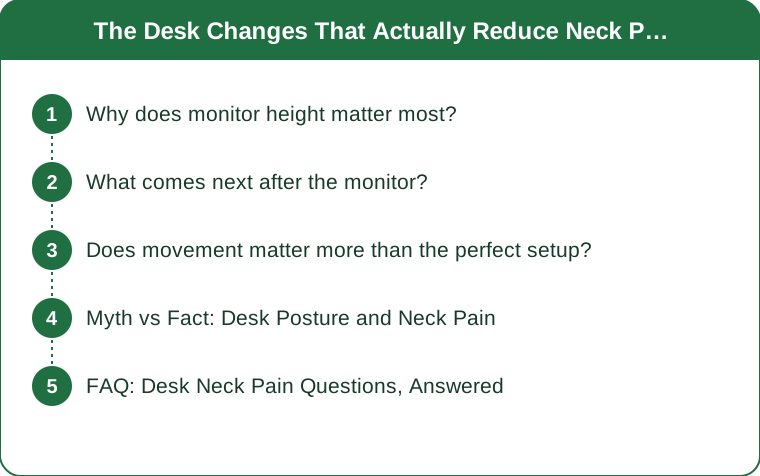
Why does monitor height matter most?
Because head weight against gravity is the dominant load, and it scales dramatically with angle.
An adult head weighs roughly 4.5-5.5kg. Held directly over the spine, the neck muscles do relatively little work. Tilted forward, the effective load on the cervical spine increases substantially with the angle - a widely cited biomechanical analysis estimated effective forces several times head weight at moderate forward tilt.
Whether the precise numbers hold, the direction is not in dispute: forward head position substantially increases the sustained work your neck extensors have to do. And sustained low-level contraction is exactly what produces the aching, tight-through-the-shoulders pain most desk workers describe.
A screen that is too low forces that tilt continuously. Laptops are the worst offenders by design - screen and keyboard are fixed together, so a comfortable keyboard height guarantees a screen that is far too low.
The correct height: the top of the screen at or slightly below eye level, so your gaze drops slightly to the middle of the screen without your head tilting. Roughly an arm’s length away.
How to fix it cheaply:
- A monitor arm or riser for a desktop screen
- A laptop stand plus a separate keyboard and mouse - this is the single highest-value ergonomic purchase for anyone working on a laptop, and it costs less than one physiotherapy session
- Books under the laptop, which works fine and costs nothing
The separate keyboard is not optional with a raised laptop - raising the screen without it just moves the problem to your shoulders.
What comes next after the monitor?
Arm position, then chair, then the phone.
Keyboard and mouse distance. If the keyboard is too far forward, you reach - and reaching means your shoulders are held in slight elevation and protraction all day. The upper trapezius holds that position, and it is one of the most common sources of neck and shoulder aching.
What correct looks like: elbows at roughly 90 degrees and close to your sides, wrists straight, shoulders relaxed and down. Pull the keyboard toward you until that happens.
The mouse matters equally and gets less attention. A mouse positioned out to the side and forward holds one shoulder in abduction continuously - which is why one-sided neck pain in desk workers is so common. Keep it immediately beside the keyboard.
Chair height and depth. Feet flat on the floor, hips slightly higher than knees, and a gap of a few centimetres between the seat edge and the back of your knees.
If your desk is too high to allow that, raise the chair and use a footrest - a box works. Feet dangling causes you to slide forward, which collapses the lower back and pushes the head forward. Neck position depends on pelvis position more than most people expect.
Lumbar support. A supported lower back keeps the pelvis in a neutral position, which keeps the ribcage stacked, which keeps the head over the shoulders. A rolled towel behind the lower back is a genuinely effective free version.
Then the phone. A phone flat on the desk produces the most extreme neck flexion of anything in a normal working day, and people do it for hours cumulatively. Holding it up, or propping it on a stand, removes a load that no amount of stretching offsets.

Does movement matter more than the perfect setup?
Probably, and the two are not in competition.
The evidence on static posture is more nuanced than ergonomics marketing suggests. Research has increasingly found that the duration of a sustained position matters at least as much as the specific position. The best posture is generally described as your next one.
Which does not mean setup is irrelevant. A bad setup makes every one of those sustained periods worse. Setup determines the load; movement determines how long you hold it.
What the movement side looks like practically:
- Change position every 20-30 minutes - even shifting how you sit
- Stand up every hour for a minute or two
- Take calls standing or walking where possible
- Look at something distant periodically - this rests the eyes and naturally brings the head back over the shoulders
On sit-stand desks: useful, and not a solution by themselves. Standing badly for four hours produces its own problems, and people typically stand less than they intend to. The benefit comes from alternating, roughly 30-60 minutes standing per few hours seated.
On strengthening: deep neck flexor and scapular stabiliser work has reasonable support for chronic neck pain. It is a slower intervention than setup changes, and it addresses capacity rather than load. Both matter; setup changes produce faster relief.
One easy addition: the chin tuck. Gently draw the chin back, hold a few seconds, repeat. Doing it periodically through the day counteracts the forward drift and takes no equipment.
Myth vs Fact: Desk Posture and Neck Pain
Myth: There is one correct sitting posture. Fact: Varied positions are better tolerated than any single fixed one. The advice to sit up straight all day is neither achievable nor supported - what matters is not staying in one position for hours.
Myth: An expensive chair will fix it. Fact: Monitor height typically matters more than chair quality. A good chair with a screen 20cm too low still produces forward head position. Fix the screen first.
Myth: Stretching is the main treatment. Fact: Stretching provides temporary relief and does not change the load. It is worth doing alongside setup changes, and on its own it produces the pattern of feeling better for twenty minutes each time.
Myth: Slouching is the problem. Fact: Sustained anything is closer to the problem. Slouching for ten minutes is unremarkable; any single position for three hours is the issue.
Myth: Standing desks solve neck pain. Fact: They help by enabling change of position. Standing all day produces a different set of complaints, and standing with a low screen produces the same neck problem.
Myth: Neck pain from desk work is just something you live with. Fact: It is one of the more responsive problems there is, because the cause is usually a modifiable mechanical load. Most people get meaningful relief from setup changes within a couple of weeks.
FAQ: Desk Neck Pain Questions, Answered
How high exactly should my monitor be?
Top of the screen at or slightly below eye level, roughly an arm’s length away. Your gaze should drop slightly to reach the middle of the screen without your head tilting down. If you wear varifocals you may need it lower, because you look through the bottom of the lens.
Is a laptop stand really necessary?
If you work on a laptop for more than an hour or two a day, it is the highest-value change available. A laptop forces you to choose between a correct screen height and a correct keyboard height - the stand plus a separate keyboard removes the trade-off.
Why does only one side of my neck hurt?
Usually the mouse side. A mouse positioned out and forward holds that shoulder in slight abduction all day. Moving it immediately beside the keyboard resolves a lot of one-sided complaints.
How long before setup changes help?
Many people notice a difference within a week or two, because you are removing an ongoing load rather than treating accumulated damage. If nothing changes after a few weeks, that is worth investigating further.
Should I see someone about it?
If it persists despite setup changes, if there is numbness, tingling or weakness in the arm or hand, or if it started after an injury. Those warrant proper assessment rather than more ergonomics.
Does a standing desk help?
It helps by making it easy to change position, which is the actual mechanism. Standing all day is not better than sitting all day. Alternating is what produces the benefit.
TL;DR:
- Monitor height first: top of screen at or slightly below eye level, arm’s length away
- A laptop stand plus separate keyboard is the highest-value purchase for laptop workers
- Pull the keyboard and mouse close so elbows stay near your sides - a forward mouse causes one-sided pain
- Feet flat, hips slightly above knees, lumbar supported; neck position depends on pelvis position
- A phone flat on the desk produces the worst neck flexion of the working day
- Setup determines the load, movement determines the duration - you need both
Stretching treats the last two hours. Monitor height treats the next two years.
Keep Reading
This article is for general informational purposes only and is not medical advice. Always consult a qualified health professional for guidance specific to you.