Why Your Hands Go Numb While Typing (And What Actually Helps)
Quick Answer: Numb hands while typing are most often caused by wrist positioning that compresses the carpal tunnel (bent-up or bent-down wrists rather than neutral), prolonged static posture without breaks, or pressure on the ulnar nerve from resting forearms on a hard desk edge — adjusting keyboard height for a neutral wrist, taking movement breaks, and padding the desk edge resolves it for most people.
Occasional numbness is usually mechanical and fixable; frequent or worsening numbness is worth mentioning to a doctor.

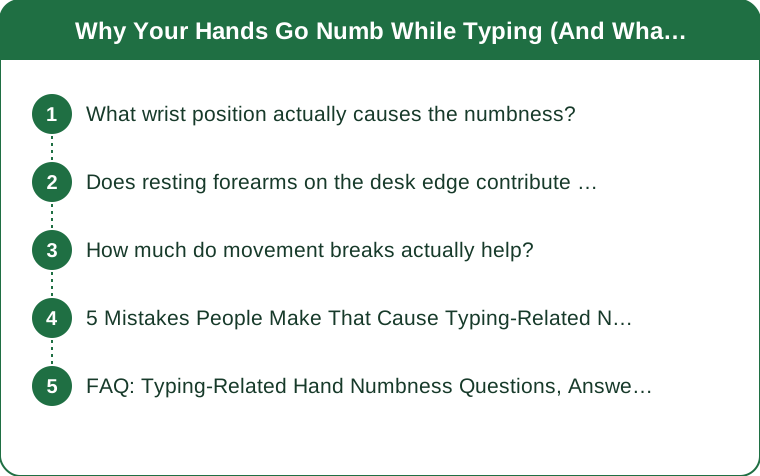
What wrist position actually causes the numbness?
A wrist bent upward (extension) or downward (flexion) while typing increases pressure inside the carpal tunnel, compressing the median nerve that runs through it — a neutral, straight wrist position, achieved by adjusting keyboard and chair height, removes most of that pressure.
Does resting forearms on the desk edge contribute to numbness?
Yes, but through a different nerve — pressure on the desk’s hard edge can compress the ulnar nerve near the elbow, causing numbness or tingling in the ring and pinky fingers specifically. Padding the desk edge or adjusting arm position to avoid resting directly on it addresses this separate cause.

How much do movement breaks actually help?
Static posture for long stretches reduces blood flow and increases sustained nerve pressure, so breaking typing into shorter stretches with brief hand and wrist movement every 30-45 minutes meaningfully reduces numbness for many people, even without changing anything else about the desk setup.
5 Mistakes People Make That Cause Typing-Related Numbness
1. Typing with wrists bent upward on a keyboard that’s positioned too high. 2. Resting forearms directly on a hard, sharp desk edge for hours. 3. Typing for hours without any wrist or hand movement breaks. 4. Using a mouse at a different height than the keyboard, twisting the wrist to compensate. **5. Ignoring early tingling instead of adjusting setup before it becomes persistent numbness.
FAQ: Typing-Related Hand Numbness Questions, Answered
When does hand numbness from typing need medical attention?
If numbness becomes frequent, persists after adjusting posture and taking breaks, or is accompanied by weakness or pain, it’s worth seeing a doctor, since it could indicate carpal tunnel syndrome or another nerve condition needing proper evaluation. This is general information, not medical advice.
Do ergonomic keyboards actually help with this issue?
Split or curved ergonomic keyboards can help by encouraging a more neutral wrist angle, though proper desk and chair height adjustment often addresses the issue even without a specialized keyboard.
Can wrist exercises help prevent typing-related numbness?
Gentle wrist stretches and strengthening exercises done regularly can help build tolerance and reduce numbness frequency, though they work best combined with proper positioning rather than as a standalone fix.
TL;DR:
- Bent wrist position while typing raises carpal tunnel pressure and is a leading cause of numbness
- Resting forearms on a hard desk edge can separately compress the ulnar nerve
- Movement breaks every 30-45 minutes meaningfully reduce numbness from static posture
- Persistent or worsening numbness is worth a doctor visit, not just a setup fix
This is general information, not medical advice — small positioning fixes solve most typing-related numbness, but don’t ignore numbness that keeps getting worse.
Keep Reading
This article is for general informational purposes only and is not medical advice. Always consult a qualified health professional for guidance specific to you.